
Effective affiliate management is key to maintaining a strong and efficient partnership program. This section provides a full suite of tools to help you review affiliate profiles, track performance trends, monitor commissions, and analyze engagement, enabling you to make data-driven decisions and optimize your overall program.
Here you can check out detailed affiliate information such as email, campaign name, referrals, clicks, join date, and status. You can also use the status tabs—All, Active, Pending, and Banned—to filter affiliates by their current status.
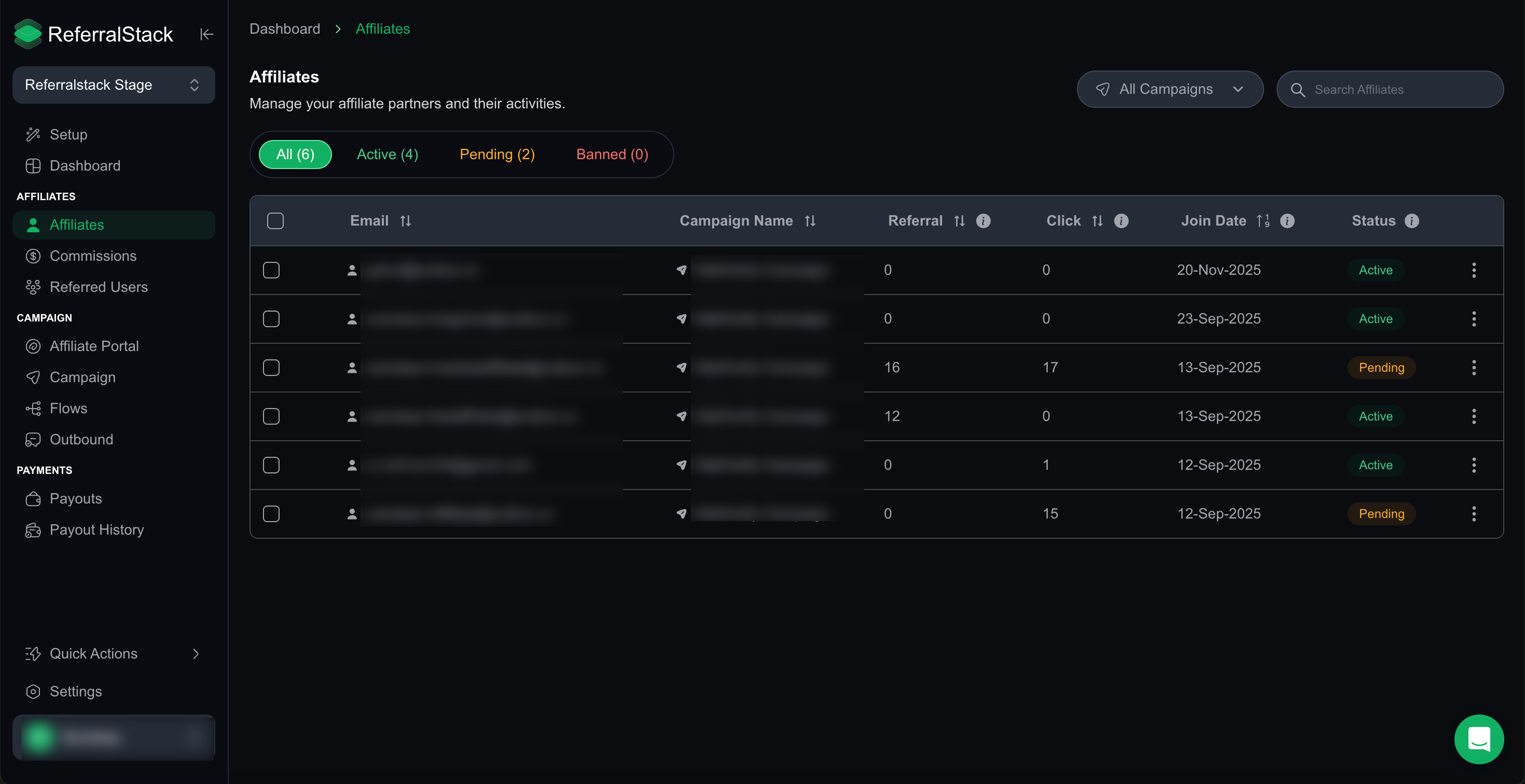
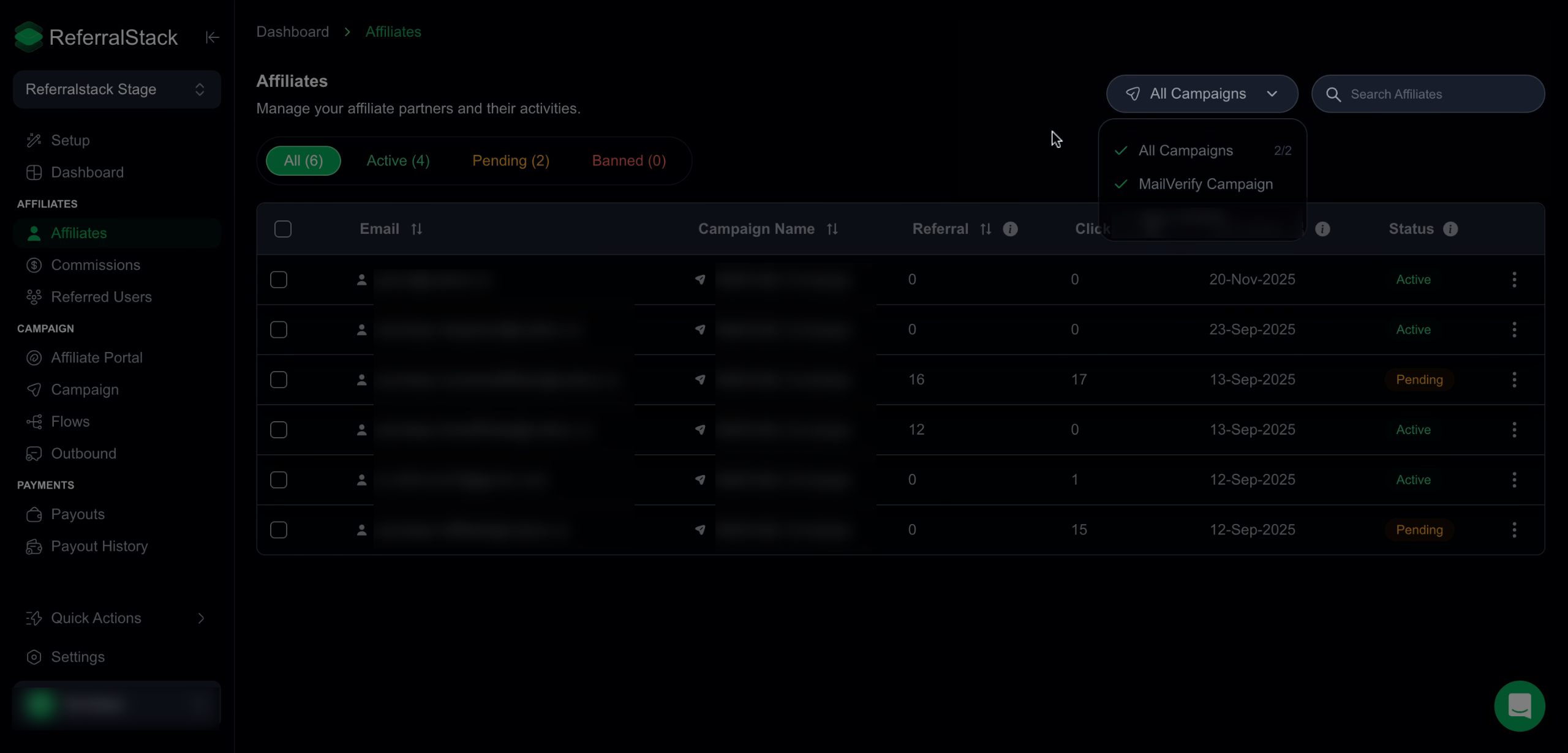
Select a campaign from the dropdown to view only the affiliates associated with that campaign. You can also quickly locate any affiliate using the search bar by entering their name or email.
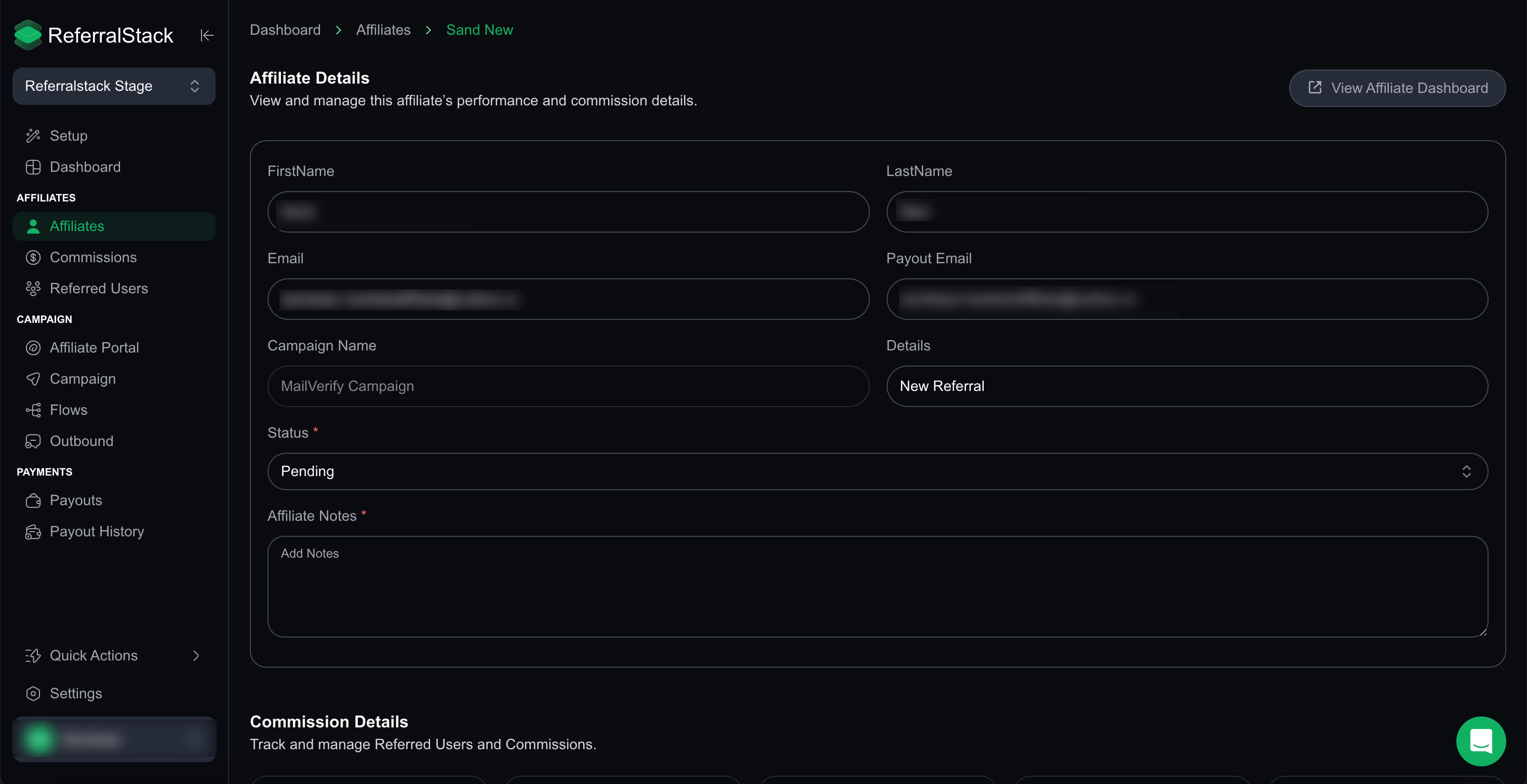
When you click an affiliate’s name, their profile opens with full details, including contact information, campaign associations, and account status options such as Active, Pending, or Banned. You can update their status and add affiliate notes directly from this page.
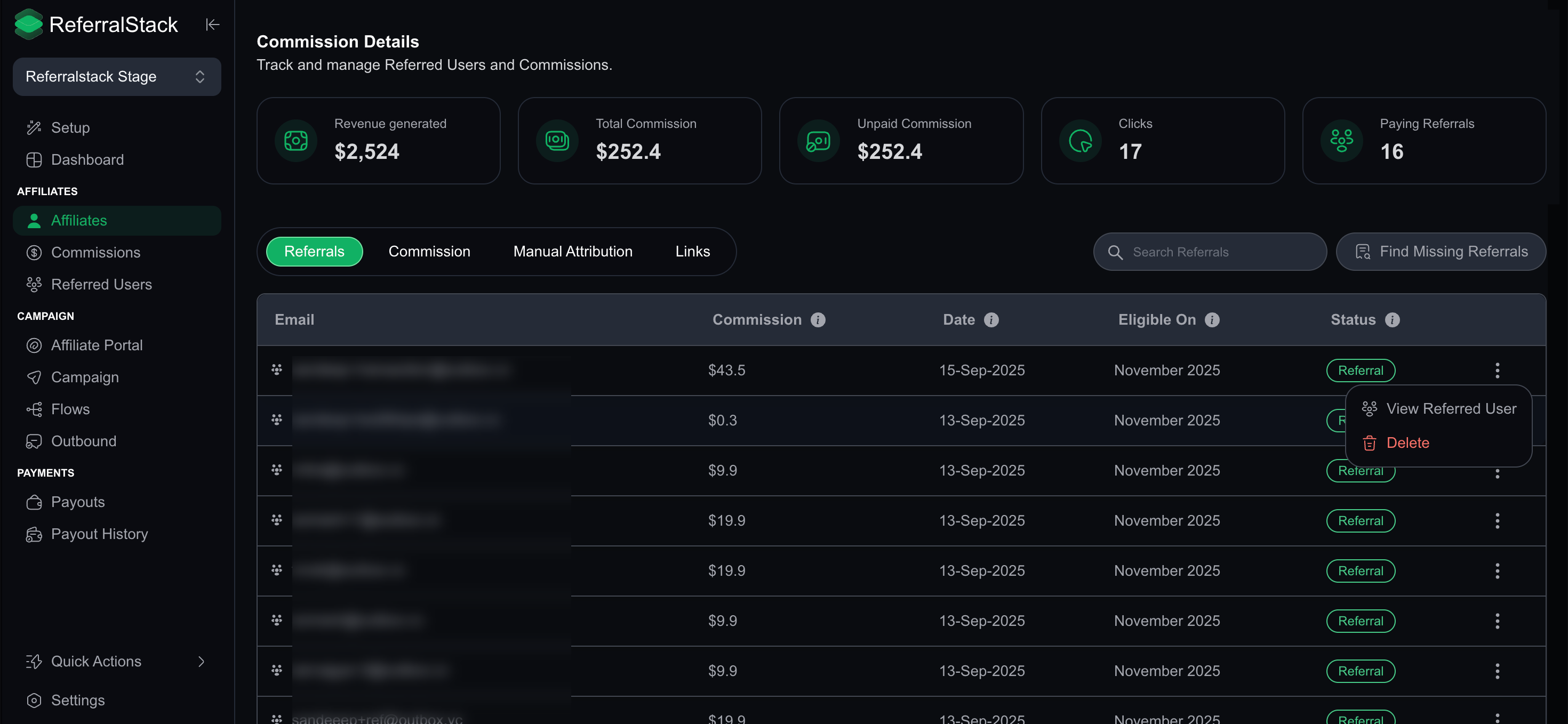
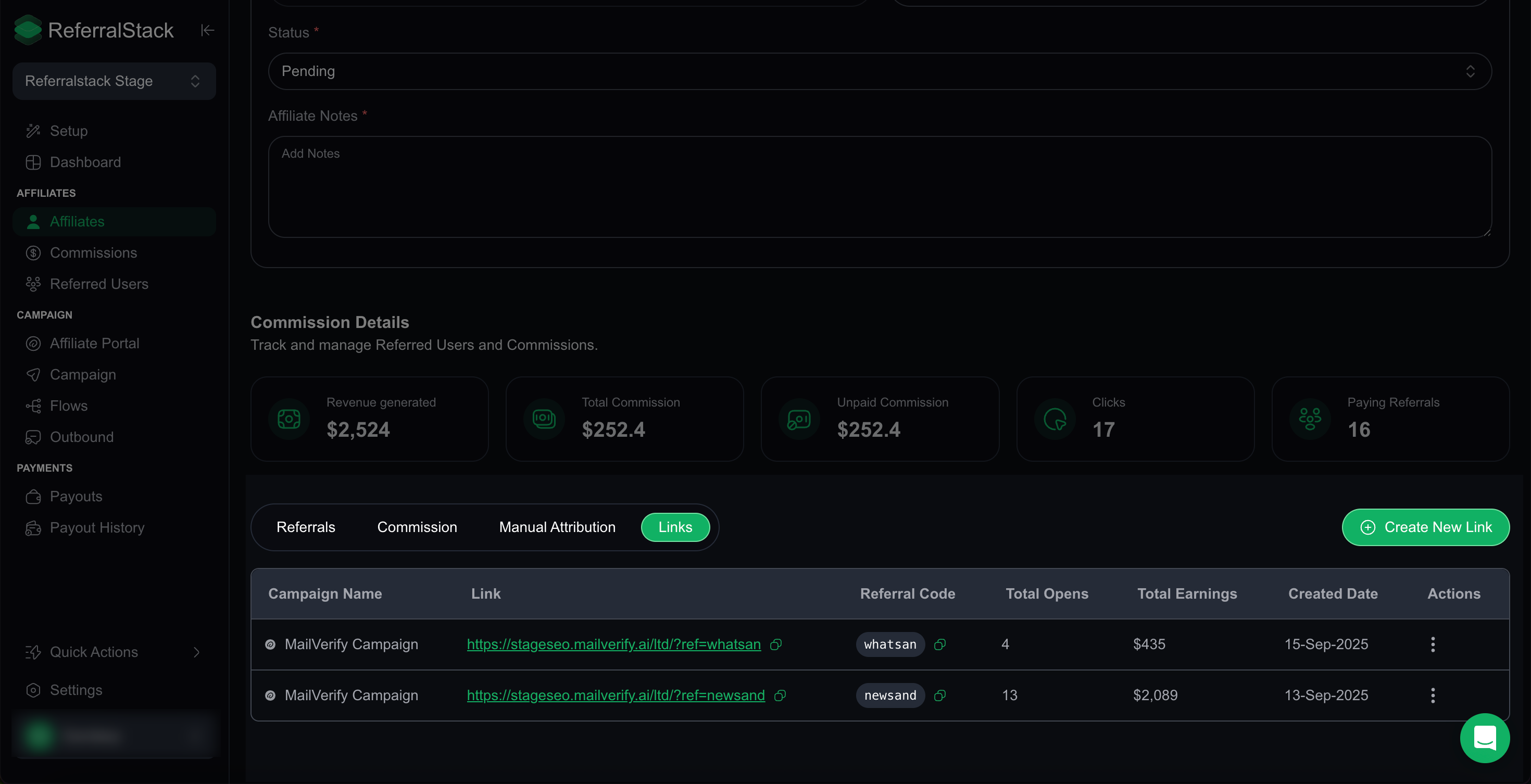
You can also check out the Commission Details section, which gives you a full breakdown of your performance—including referred users, commission amounts, revenue generated, unpaid commissions, clicks, and paying referrals.
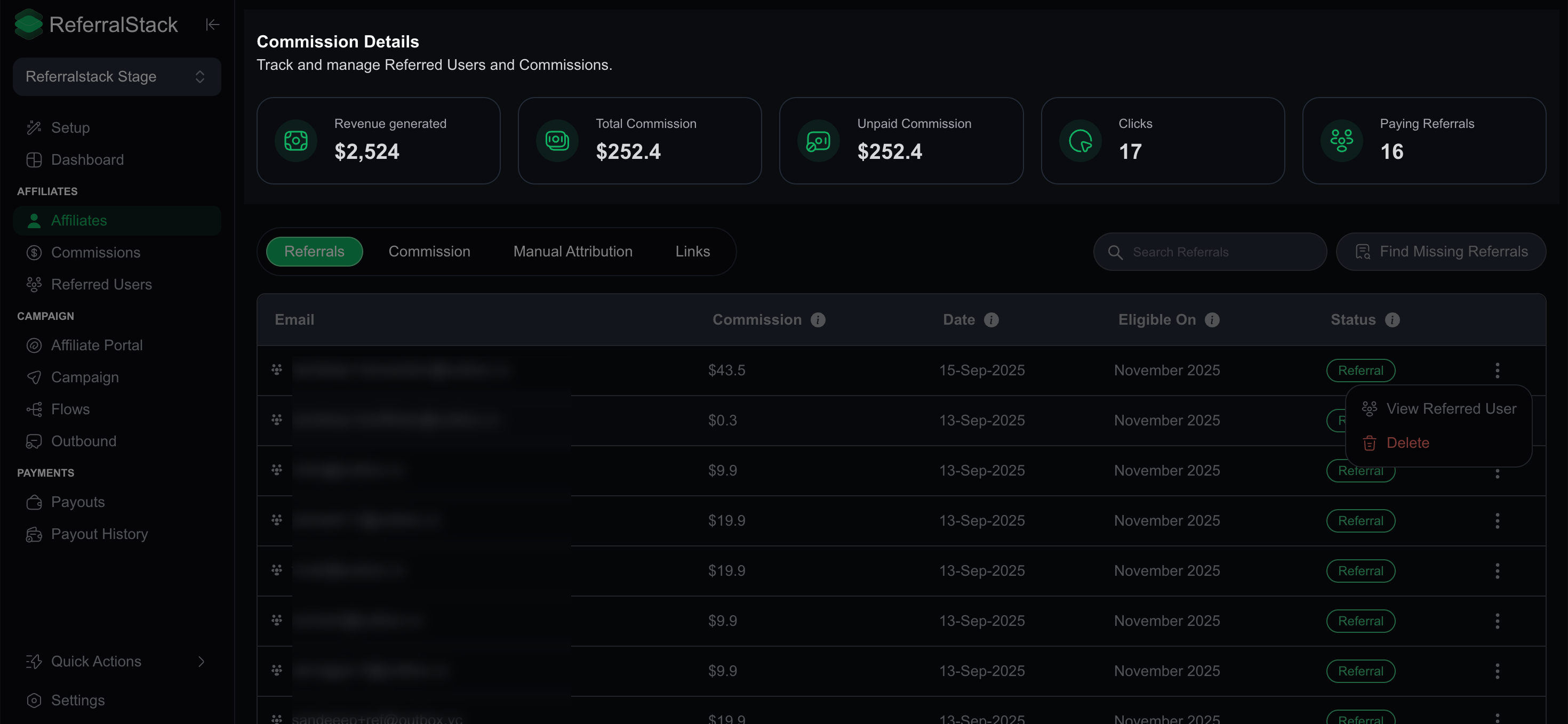
In the Referrals section, you can manage information such as email address, commission, date, eligibility, and status. You can also view details of the referred user or remove entries from the list by clicking the three dots next to each record.
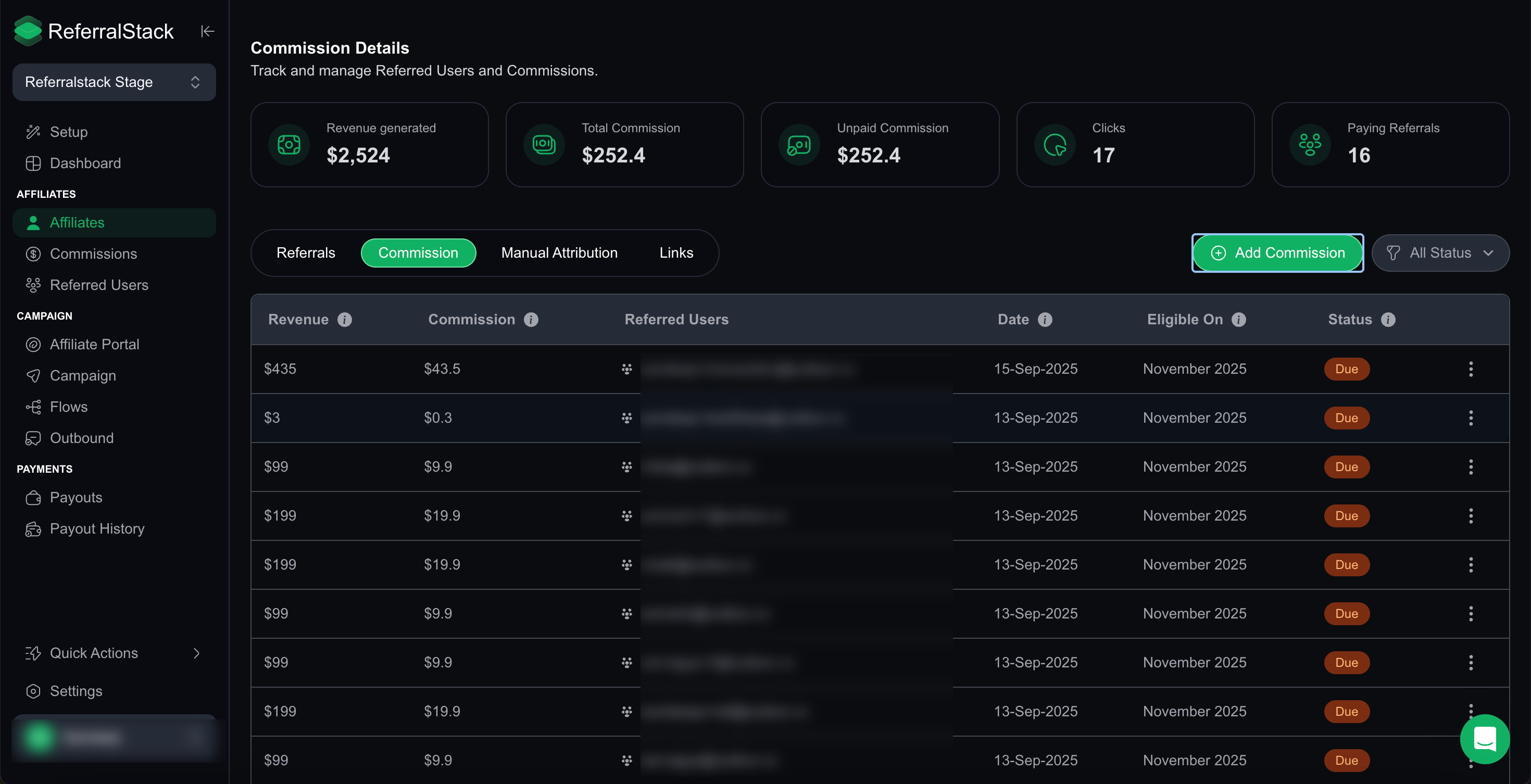
Similarly, you can check out the Commission section, where you can view details such as revenue, commission amounts, referred users, date, eligibility, and status. Use the action menu to edit, delete, or review transaction records as needed.
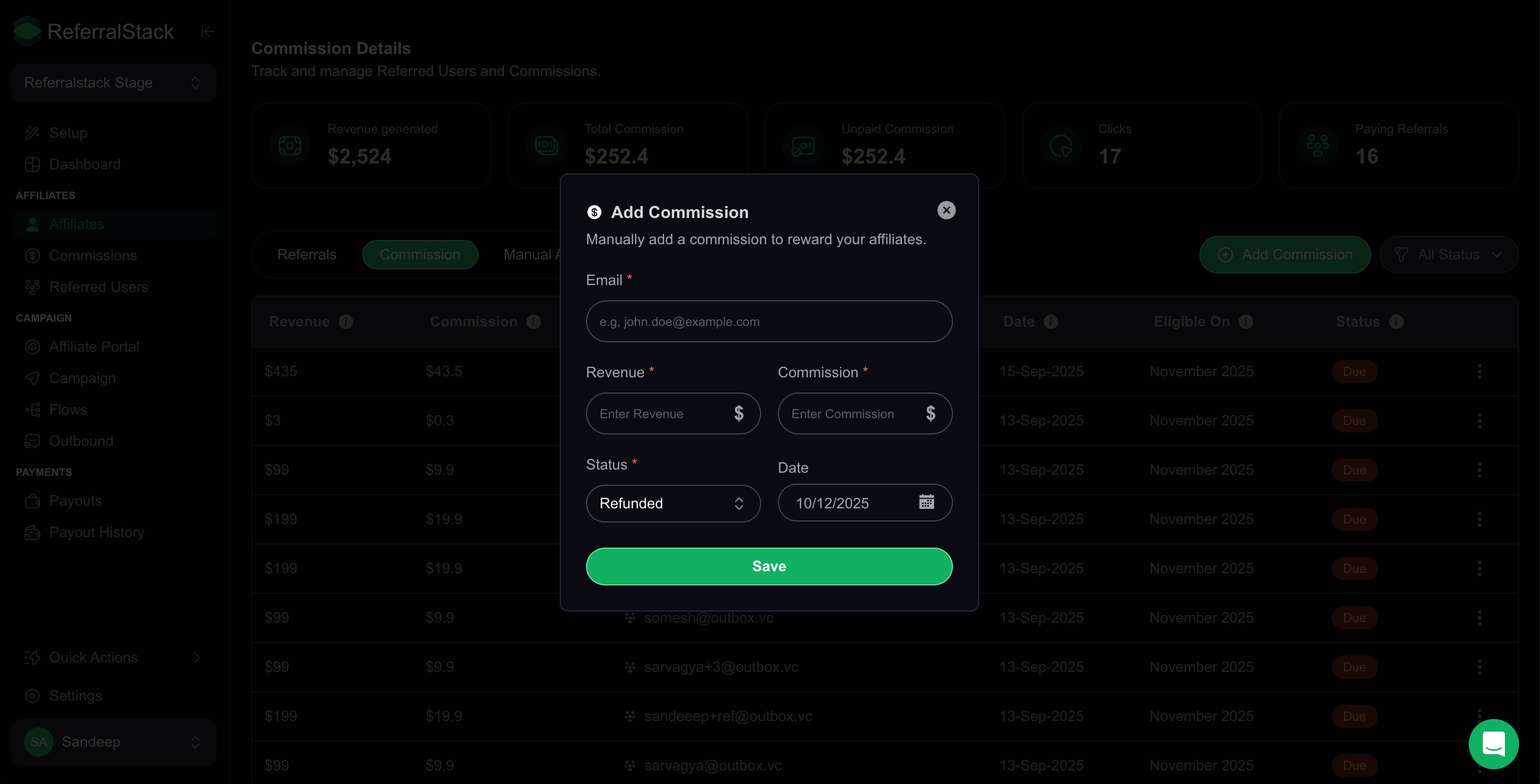
You can also manually add a commission in this section to reward your affiliates. This includes entering details such as the affiliate’s email, revenue, commission amount, status (Paid, Not Due, Due, or Refunded), and the date.
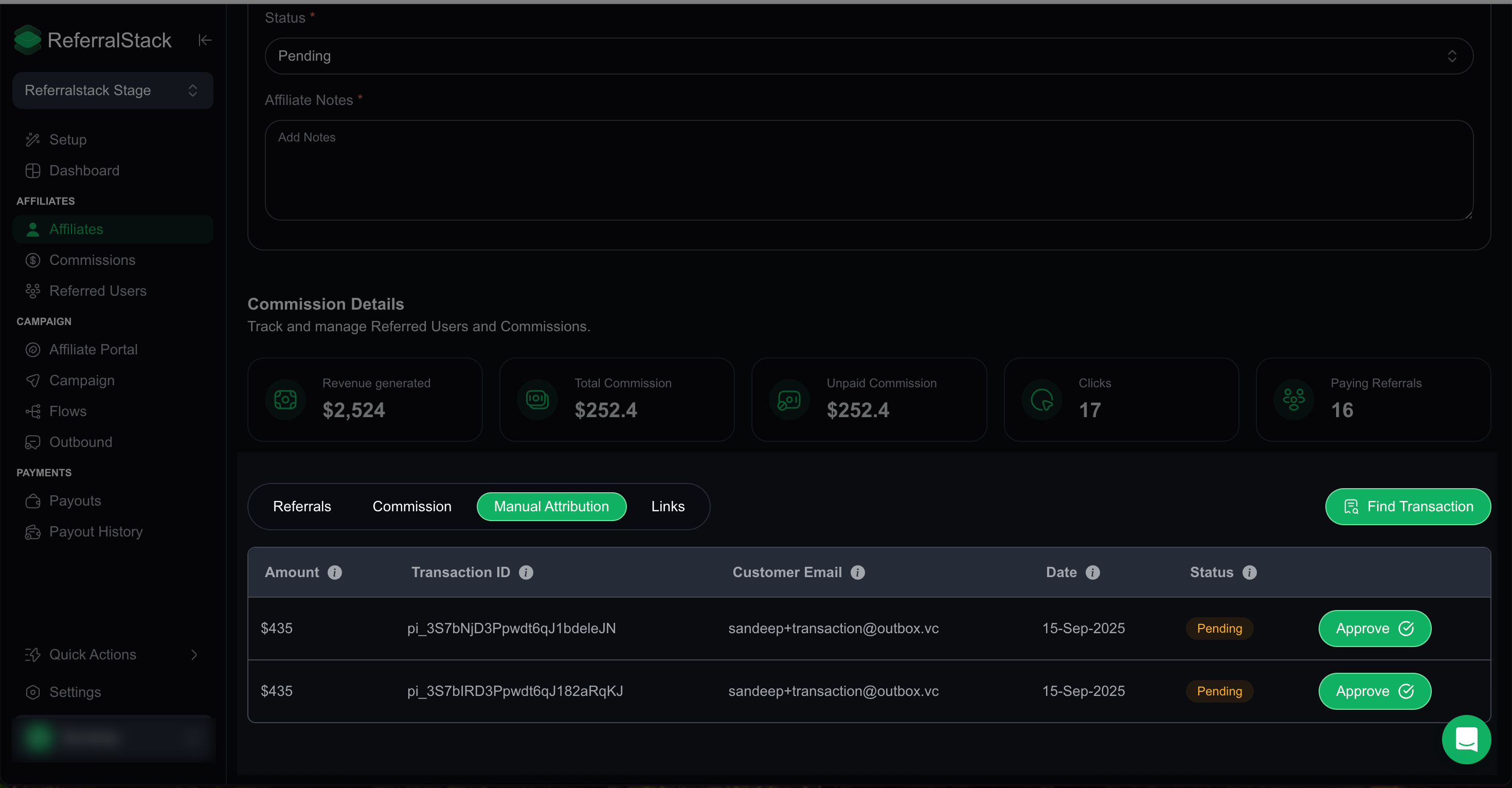
7. For commissions outside the usual workflow, select Manual Attribution, enter the necessary details, and approve to ensure accurate record keeping.
8. You can also monitor all affiliate campaign links, including referral codes, earnings, and click metrics. Easily copy, manage, or generate new links as needed.
Conclusion
The ReferralStack Affiliate Dashboard provides all the tools you need to efficiently manage your affiliates, track performance, monitor commissions, and optimize your campaigns. By leveraging these features—ranging from detailed affiliate profiles and commission management to campaign links and manual attributions—you can streamline your affiliate program, make data-driven decisions, and strengthen partnerships for better results.