
The Affiliates section in your dashboard is your central hub for managing all aspects of your affiliate program. From here, you can oversee your affiliate partners, track generated commissions, and monitor the users they refer. This guide provides an overview of the three main areas: Affiliates, Commissions, and Referred Users.
Manage Your Affiliate Partners
The Affiliates tab provides a complete list of everyone who has joined your program. Here, you can review their activity, manage their status, and communicate with them directly.
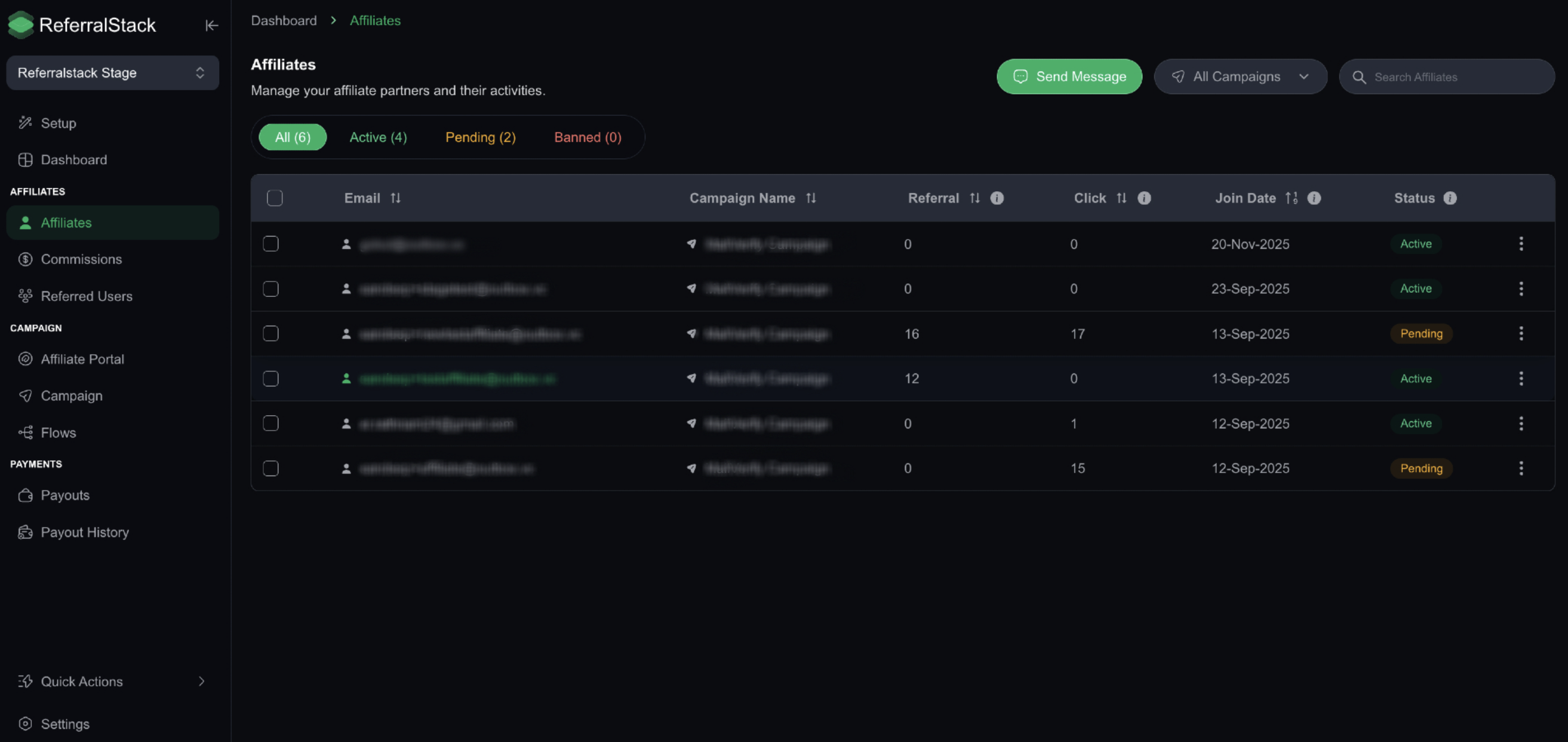
Key actions you can take:
Send a Message: To contact one or more affiliates, click the Send Message button in the top-right corner. A dialog will appear where you can select the desired affiliates by checking the box next to their names. Click Next to compose and send your message.
Filter by Status: Quickly find affiliates by their approval status. Use the filters at the top of the list to view affiliates who are All, Active, Pending, or Banned.
View Campaigns: For each affiliate, you can see all the campaigns they are assigned to or actively promoting.
Review Commissions
Navigate to the Commissions tab from the left-hand menu to see a detailed log of all commission records generated by your affiliates. This gives you full transparency into payouts and revenue attribution.
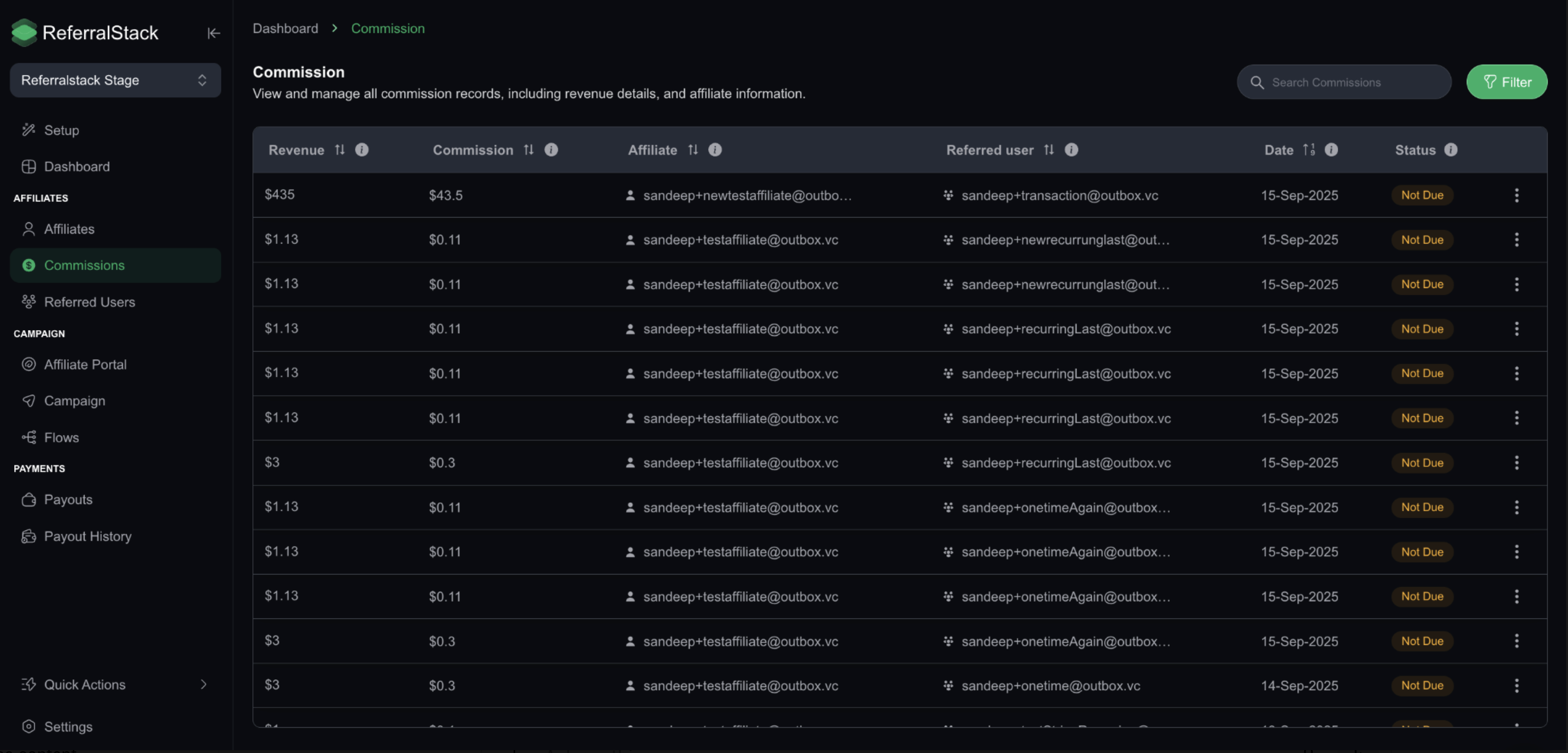
Each entry in the commission log includes:
The affiliate who earned the commission
The revenue generated from the referral
The commission amount
The date of the referral event
The status of the commission (e.g., Pending, Approved, Paid)
To find specific records, click the Filter button. This opens a dialog that allows you to narrow down the list by a date range or by commission status.
Track Referred Users
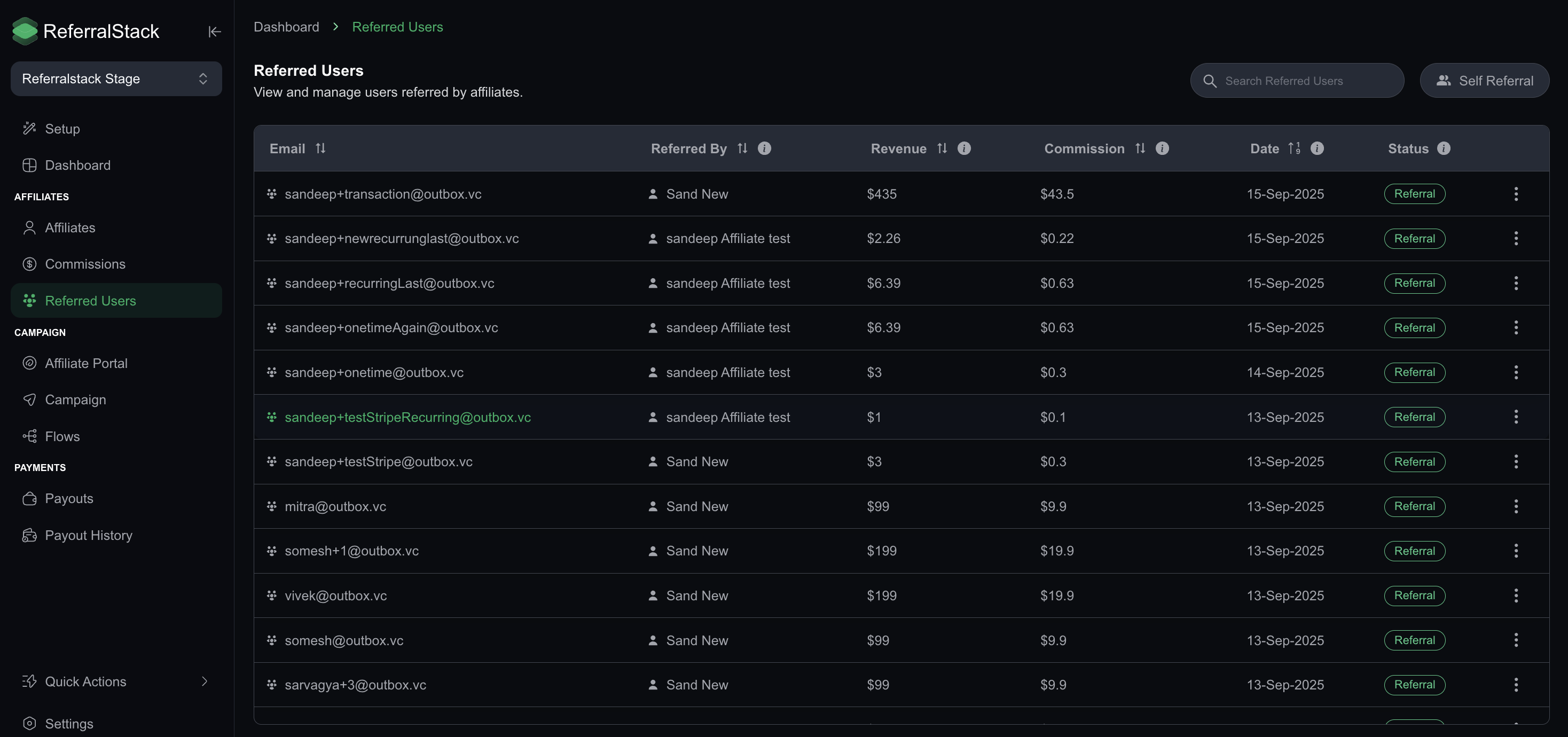
Select Referred Users from the navigation menu to view a comprehensive list of every user who has signed up through your affiliate network. This section helps you verify referral activity and ensure commission accuracy.
The table provides the following details for each user:
Self Referral: Indicates if a user signed up using their own affiliate link. You can use the Self Referral button to filter these users.
Email: The email address of the referred user.
Referred By: The affiliate who referred the user.
Revenue: The total revenue generated by that user.
Commission: The commission earned by the affiliate from that user's activity.
Date: The date the referral occurred.
Status: The current status of the referral (e.g., Referral, Pending, Failed).
You can also sort the data in the table by clicking on any of the column headers, such as Revenue, to organize the information as needed.
Summary
By using the Affiliates, Commissions, and Referred Users sections, you have all the tools you need to effectively manage your affiliate network, ensure accurate payouts, and monitor the success of your program.