
The ReferralStack Dashboard gives you a complete snapshot of your affiliate program’s performance—from revenue and commissions to clicks and top-performing affiliates. This guide walks you through each section so you can quickly understand your program’s health and activity.
Performance Overview
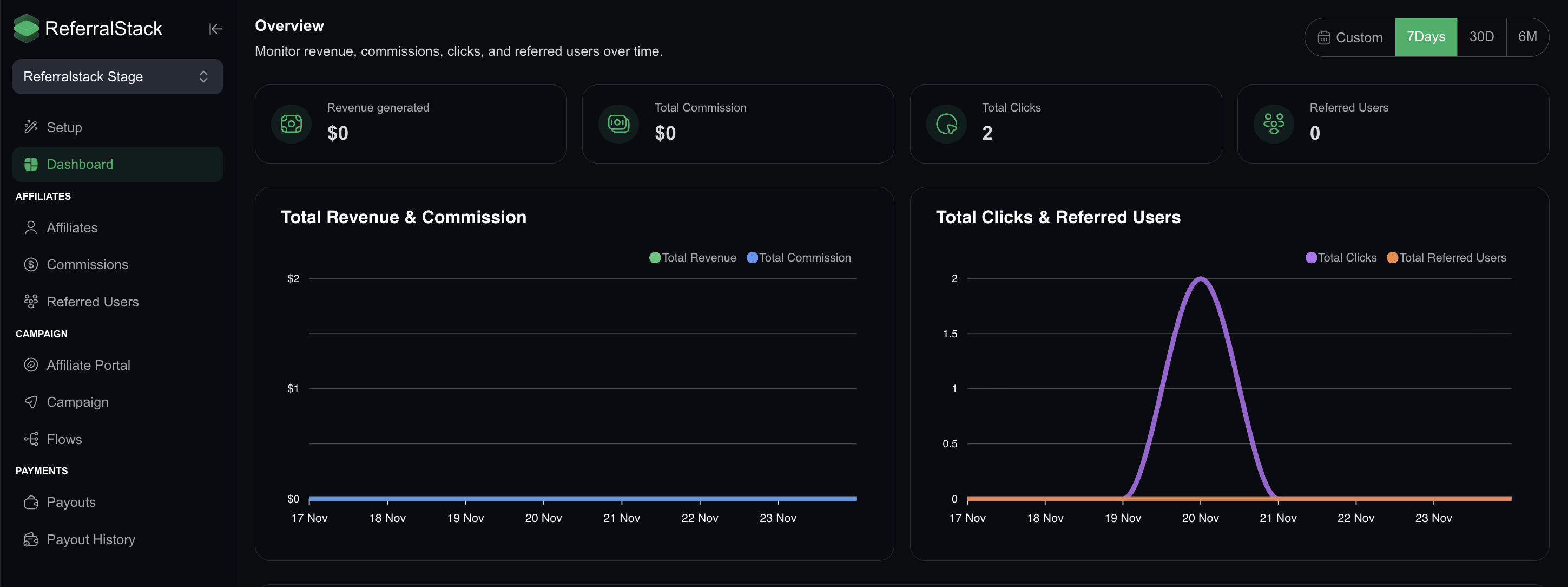
The main analytics panel summarizes your program's key metrics for a selected time range. You can filter the dashboard data by 7 Days, 30 Days, 6 Months, or a Custom Range.
The primary metrics displayed are:
Revenue Generated: The total revenue produced through affiliate referrals.
Total Commission: The sum of all commission payouts earned by your affiliates.
Total Clicks: The number of clicks your affiliate links have received.
Referred Users: The total number of new users referred during the selected time period.
Recently Referred Users
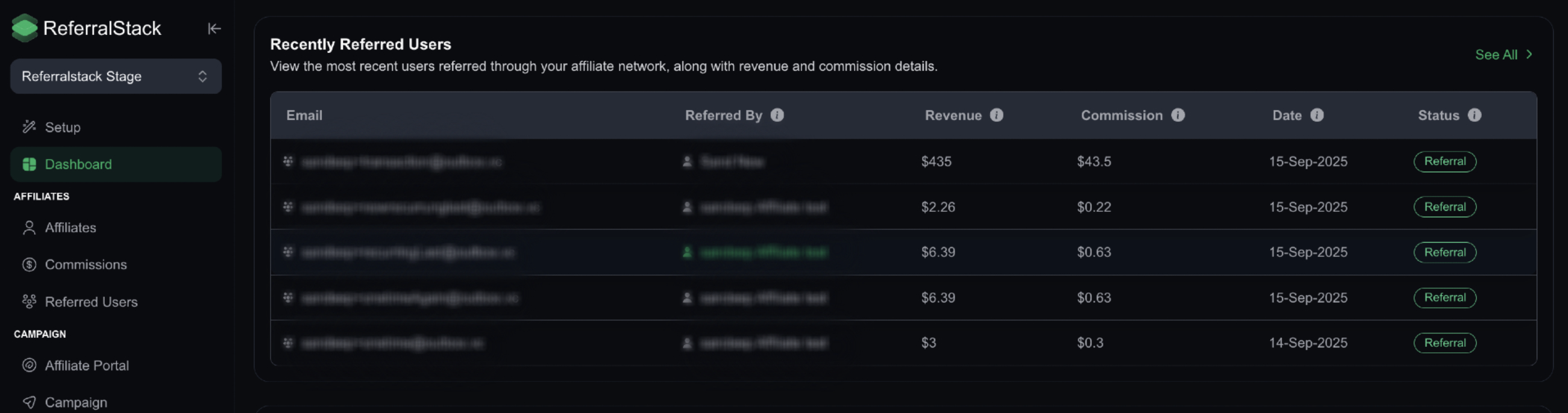
This table shows the newest users referred through your affiliate program and their contribution to your revenue. The details displayed include:
Email of the referred user
The referring affiliate's name
Revenue generated by the user
Commission earned by the affiliate
Date of the referral
Status of the referral (e.g., Pending, Approved)
Top Affiliate Performers
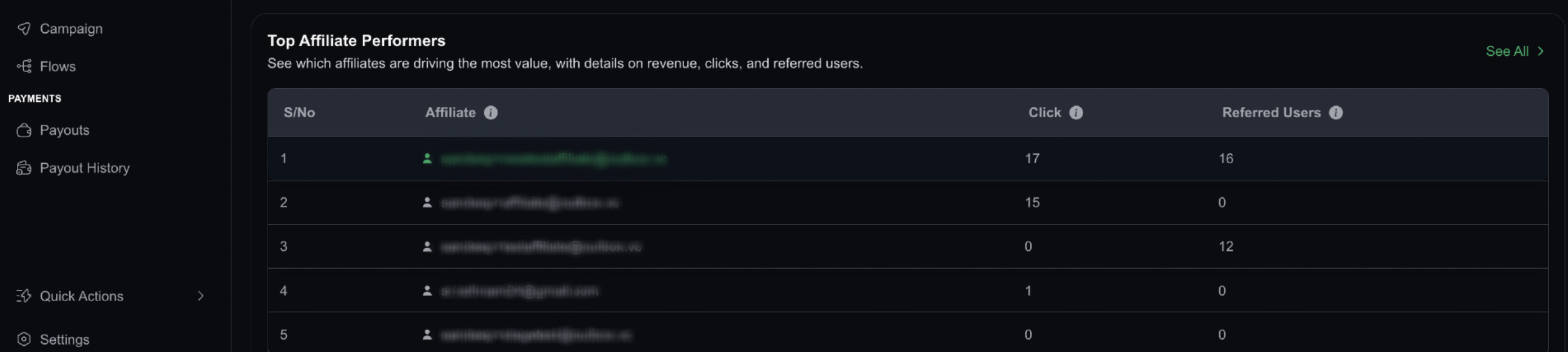
This section highlights your best-performing affiliates based on the traffic and users they have referred. It helps you identify key partners in your program. The details displayed include:
Affiliate email or name
Total clicks generated
Total number of referred users
Key Dashboard Actions
Using the dashboard, you can effectively manage and optimize your affiliate program. Key actions include:
Track your overall affiliate program performance over time.
Monitor recent conversions and payouts to stay updated on activity.
Identify your top affiliates and understand their contribution.
Spot low-performing areas, such as links with high clicks but no conversions.