
Affiliate campaigns are the foundation of your referral program in ReferralStack. They allow you to define how you track referrals and reward your affiliates. This guide will walk you through each step of creating a new campaign, from setting up tracking to defining commission structures.
Creating Multiple Campaigns on ReferralStack
Follow these steps to configure and launch your new affiliate campaign.
Navigate to the Campaigns section from your main dashboard and click the Create Campaign button to begin.
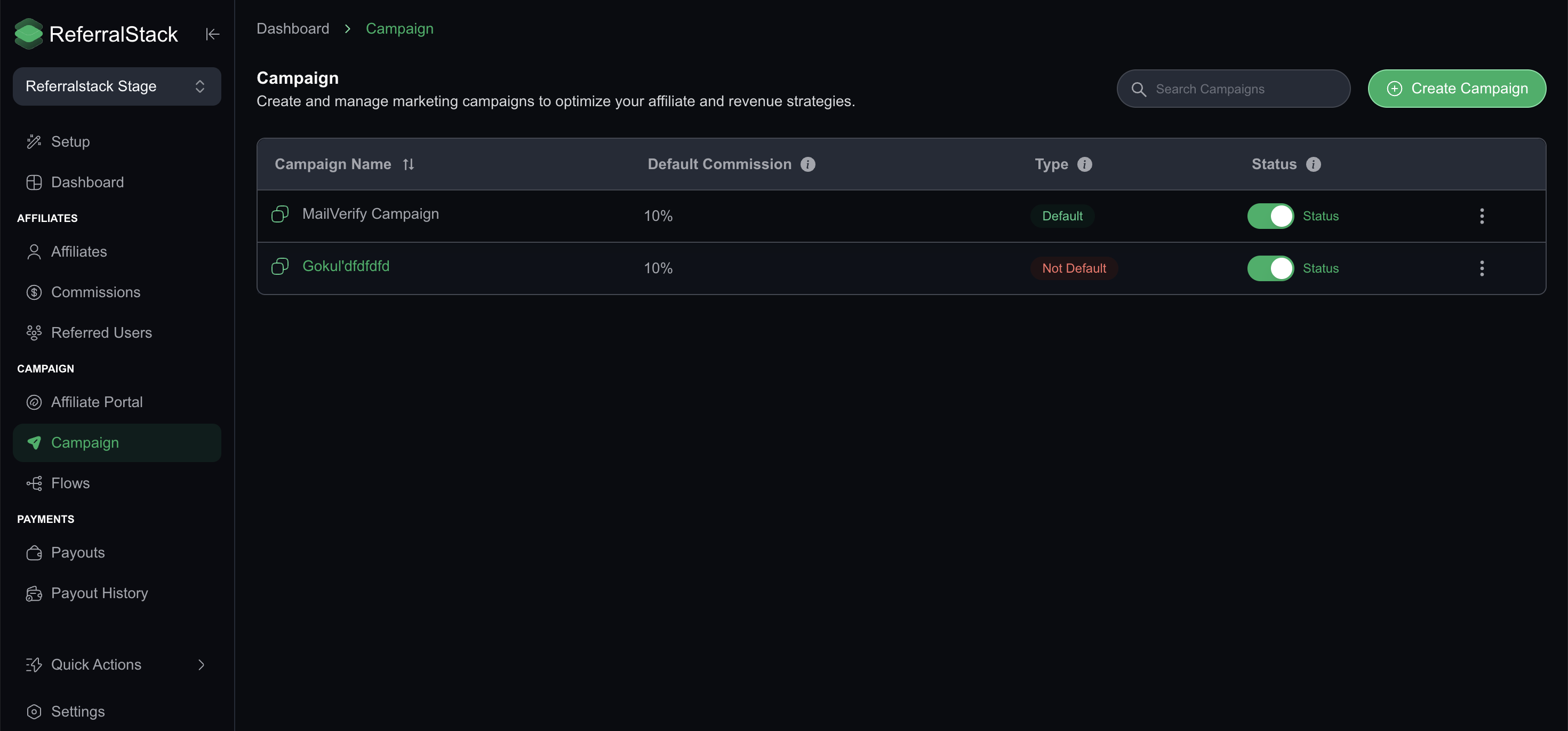
Enter the basic details for your campaign:
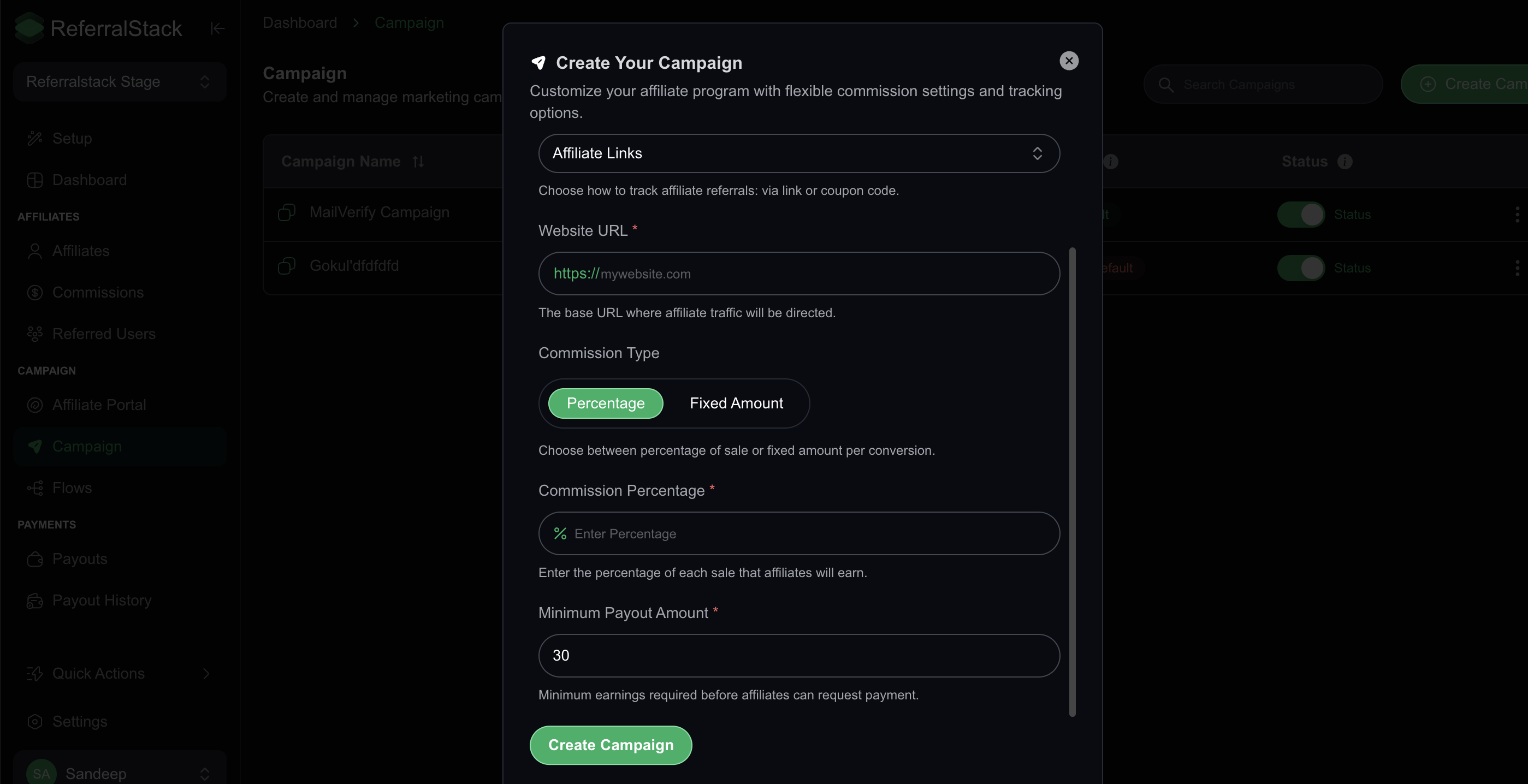
Campaign Name: Give your campaign a clear, recognizable name that you and your affiliates can easily identify.
Website URL: Enter the base URL where affiliate traffic will be directed. This is typically your homepage or a specific landing page you want to promote.Choose your Primary Tracking Type. This determines how referrals are attributed to your affiliates. You can choose between an affiliate link or an affiliate coupon code.
Important: This setting cannot be changed after the campaign is created, so choose the method that best suits your business model.Configure how your affiliates will be compensated by selecting a Commission Type.
Percentage: Affiliates earn a percentage of the total sale amount. If you select this, enter the value in the Commission Percentage field.
Fixed Amount: Affiliates earn a set amount for each successful conversion. If you select this, enter the value in the Commission Fixed Amount field.
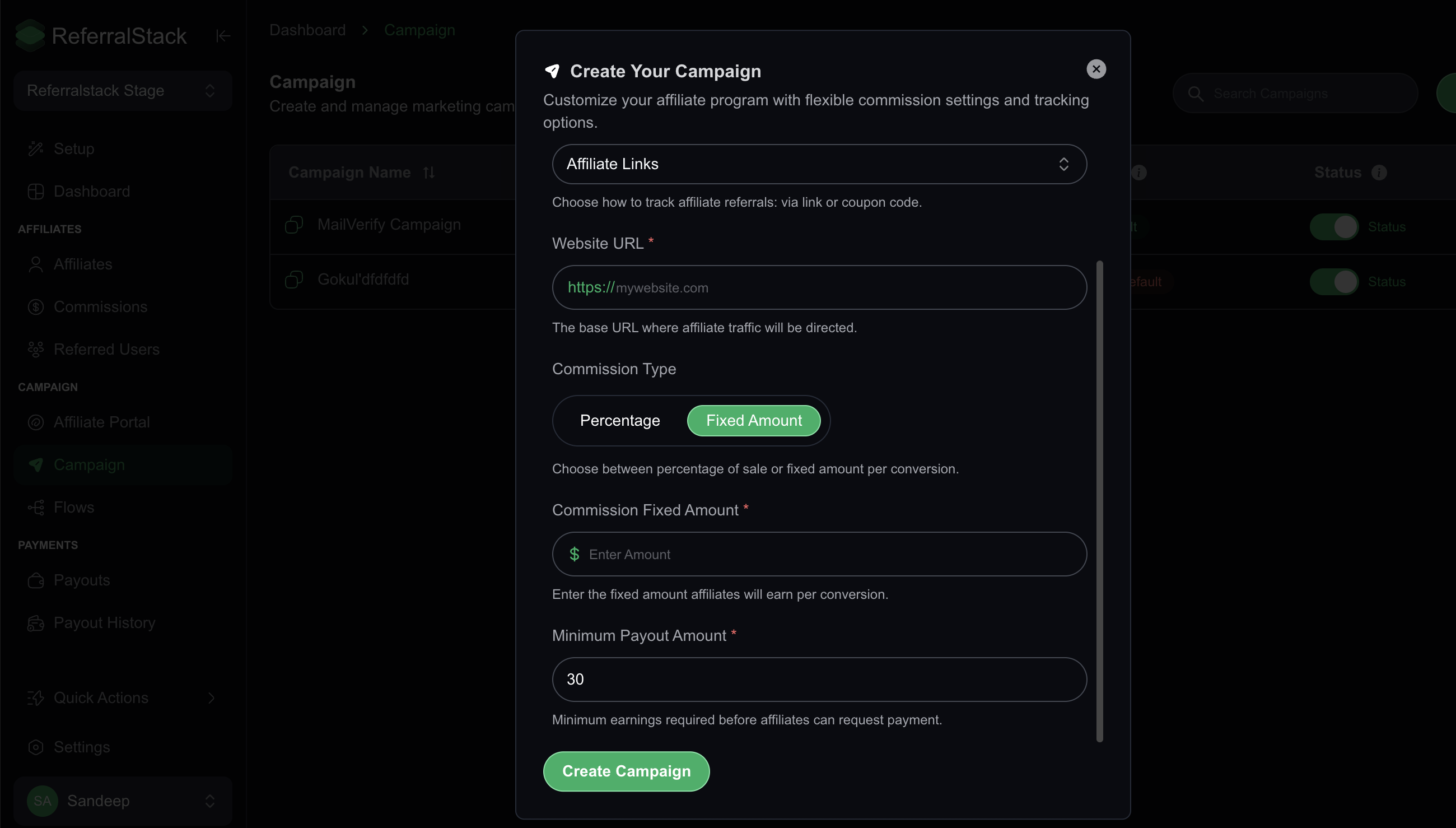
Set the Minimum Payout Amount. This is the minimum earnings balance an affiliate must reach before they can request a payment. You can adjust this amount to fit your program's policies.
Review all your settings to ensure they are correct. Once you are satisfied, save the campaign to make it live.
Next Steps
With your campaign created, you can now start inviting affiliates to join your program and begin promoting your business. You can monitor performance, manage your affiliates, and view detailed reports from the Campaigns dashboard.