ReferralStack can be integrated with Stripe in two ways depending on your setup:
Stripe Checkout Integration → For custom checkout pages or Stripe Checkout Sessions.
Stripe Link Integration → For Stripe-hosted payment links with minimal backend changes.
This guide explains both methods step by step, including frontend and backend responsibilities, code examples, and the purpose of each step.
This method provides full control over your checkout sessions and subscriptions, allowing for deep integration with your existing payment flows.
Step 1: Add Tracking Script to <head>
This script captures the unique referral ID when a user lands on your website via a referral link and ensures it persists until checkout for accurate attribution. This step is implemented by frontend engineers by adding the script to the <head> section of the website for referral tracking. It can also be added via Google Tag Manager (GTM).
Note: You can access this code example anytime from your ReferralStack Dashboard → Quick Setup → Integrations.
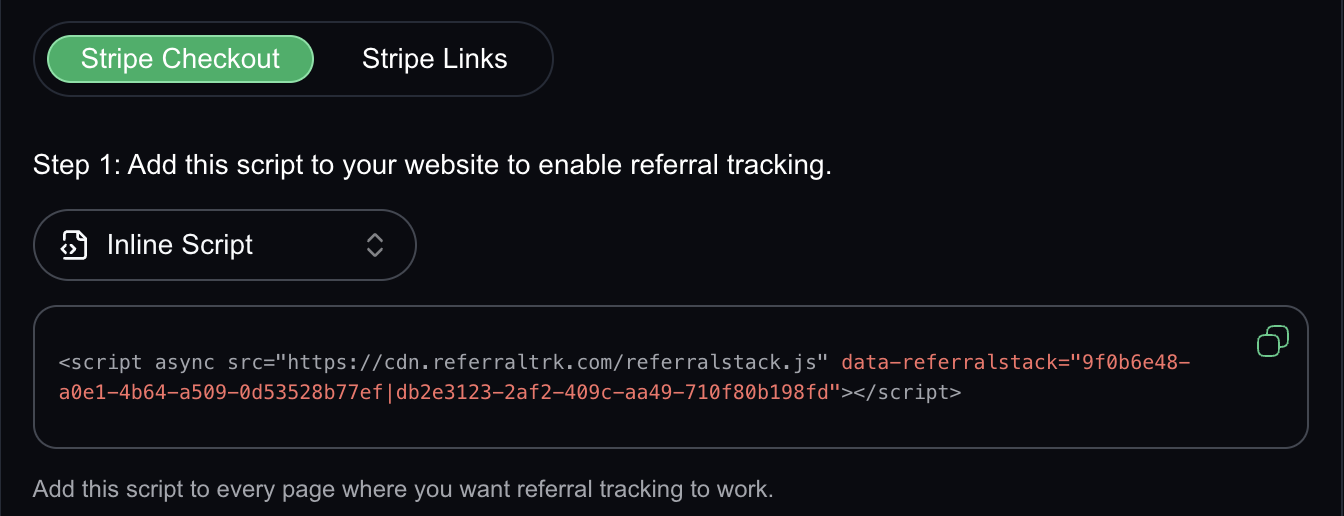
Step 2: Send Referral ID to Stripe
Backend engineers must attach the referral ID when creating Stripe Checkout Sessions or Subscriptions. This ensures every transaction is tied to the correct referrer in ReferralStack for accurate commission tracking and attribution. This can be done for either a Checkout Session or a Subscription.
2.1 Checkout Session Integration
This method is for one-time payments or initial subscription sign-ups. The referral ID is stored in the checkout session metadata, linking the session to the referrer so ReferralStack can recognize the sale. This is implemented by backend engineers in the function that creates the Stripe Checkout Session.
JAVASCRIPT:
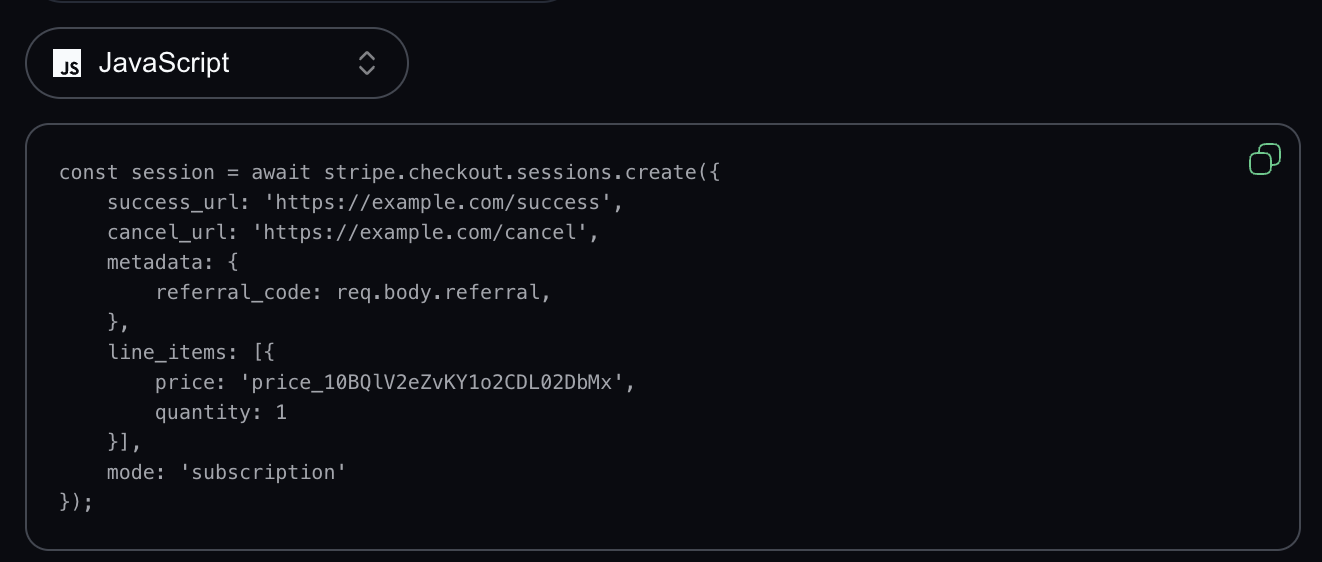
PHP:

2.2 Subscription Integration
This method ensures that recurring charges are tracked back to the original referral for accurate lifetime attribution. The referral ID is saved in the subscription metadata and persists across billing cycles. This is implemented by backend engineers in the server-side subscription creation logic.
JAVASCRIPT:
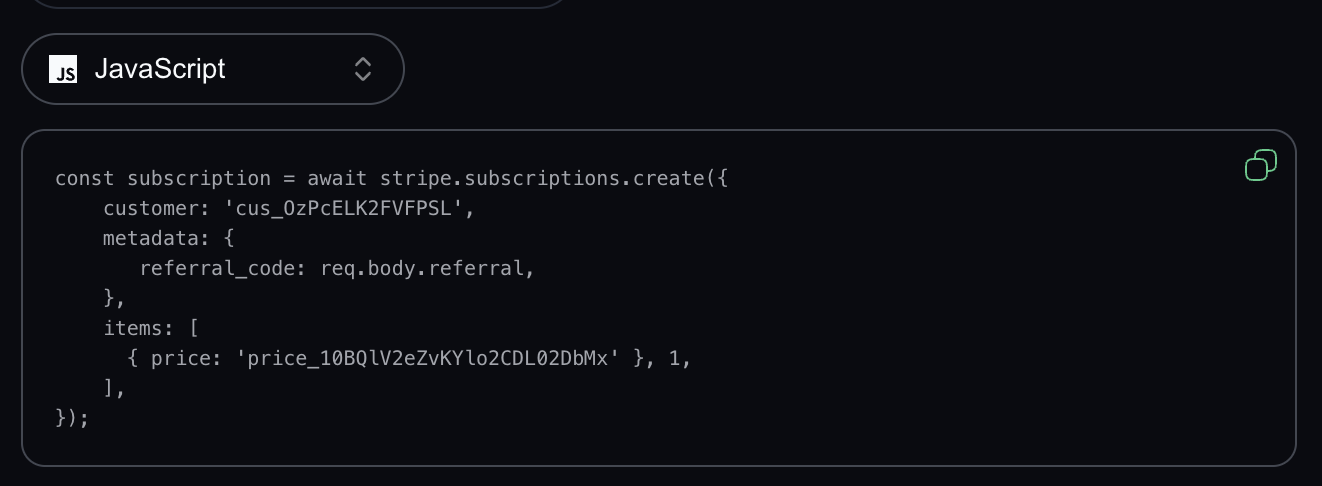
PHP:
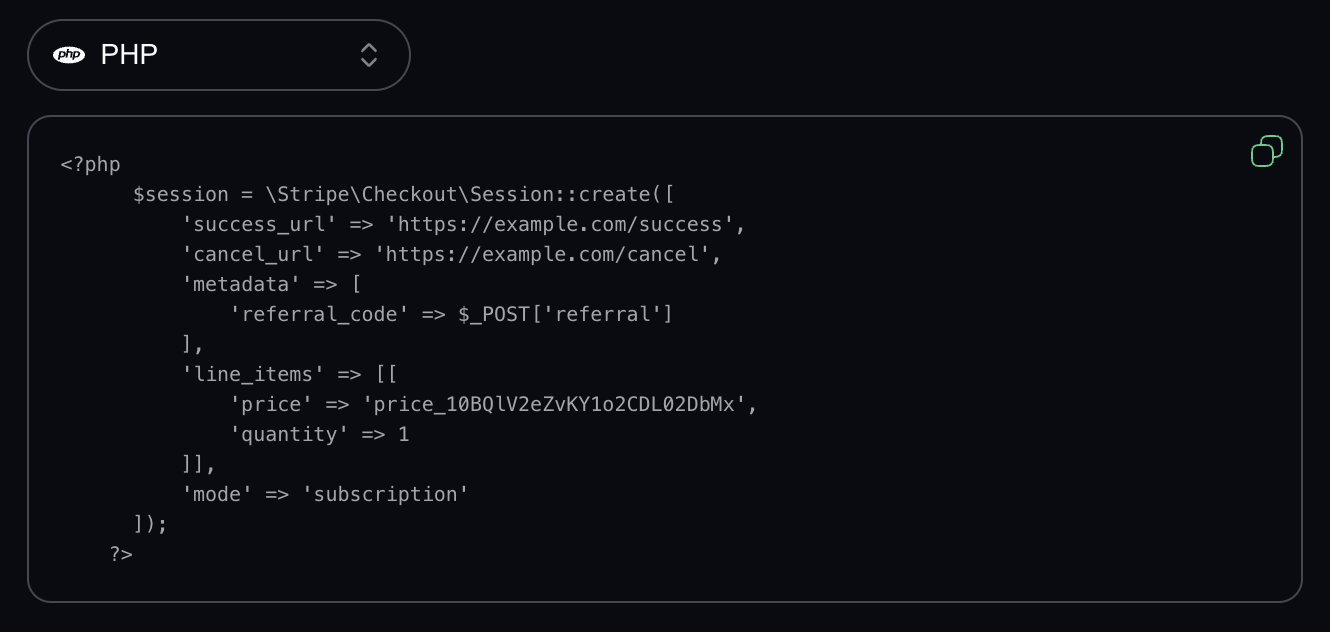
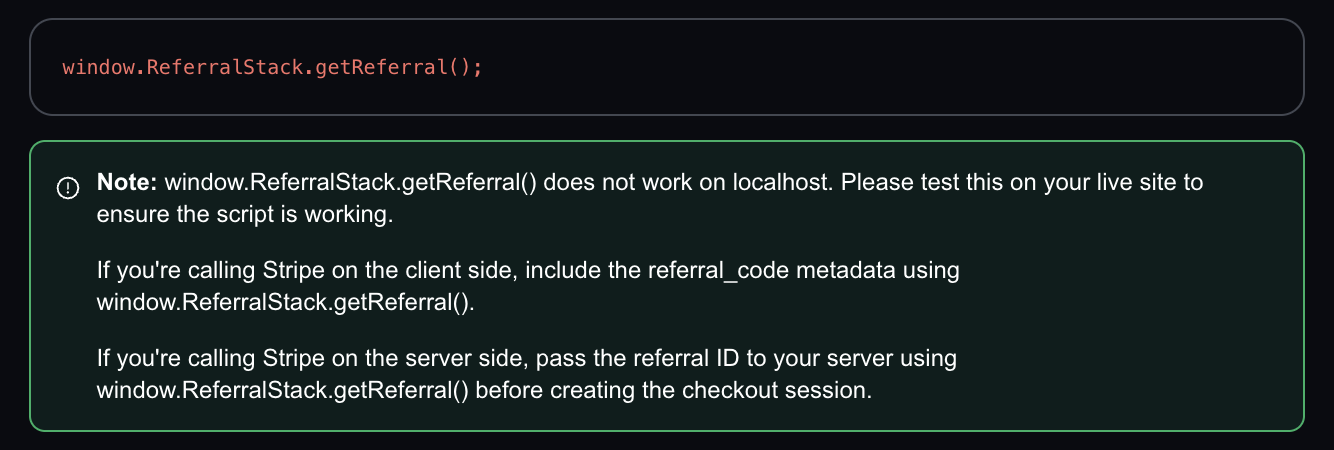
When creating a Stripe checkout session or subscription, you need to include the ReferralStack referral ID in the metadata. You can get this ID using: window.ReferralStack.getReferral();
This integration automatically attaches the referral ID to your Stripe payment links so every purchase is correctly attributed to the referring partner — without requiring backend changes.
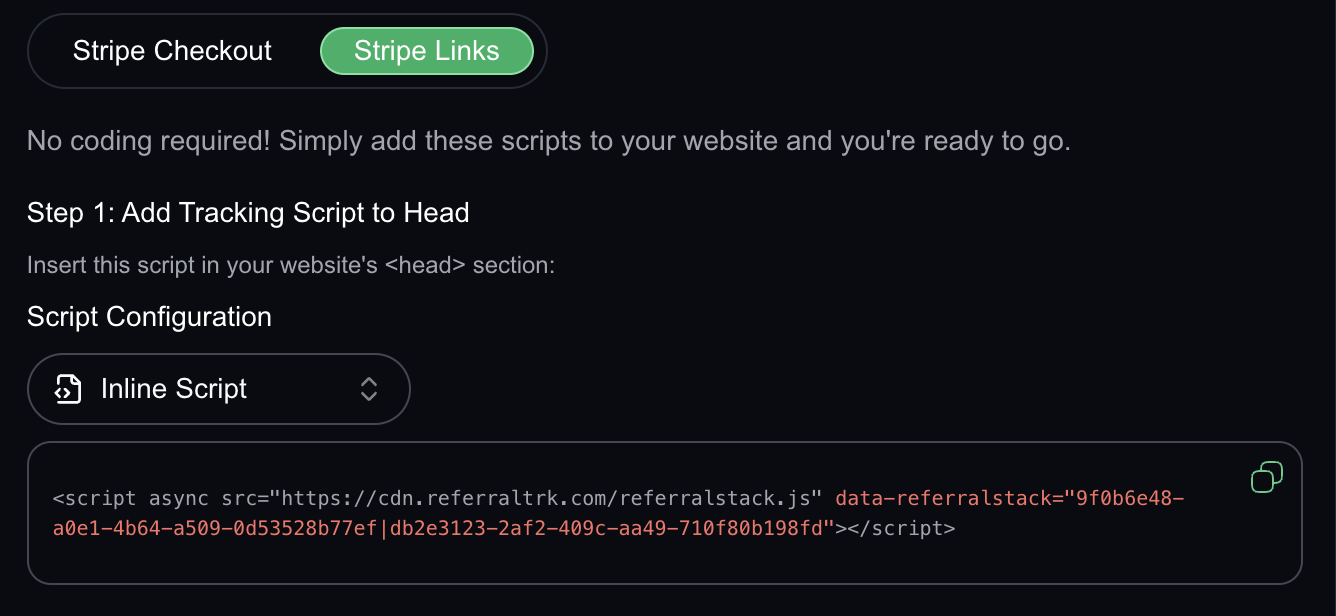
Step 1: Add Tracking Script to <head>
This script activates referral tracking on your website. It captures a unique referral ID when a visitor arrives via a referral link and stores it in the browser. This ID is automatically appended to your Stripe payment links later. This step is implemented by frontend engineers by inserting the script inside the <head> section of all relevant pages. It can also be deployed via Google Tag Manager (GTM).
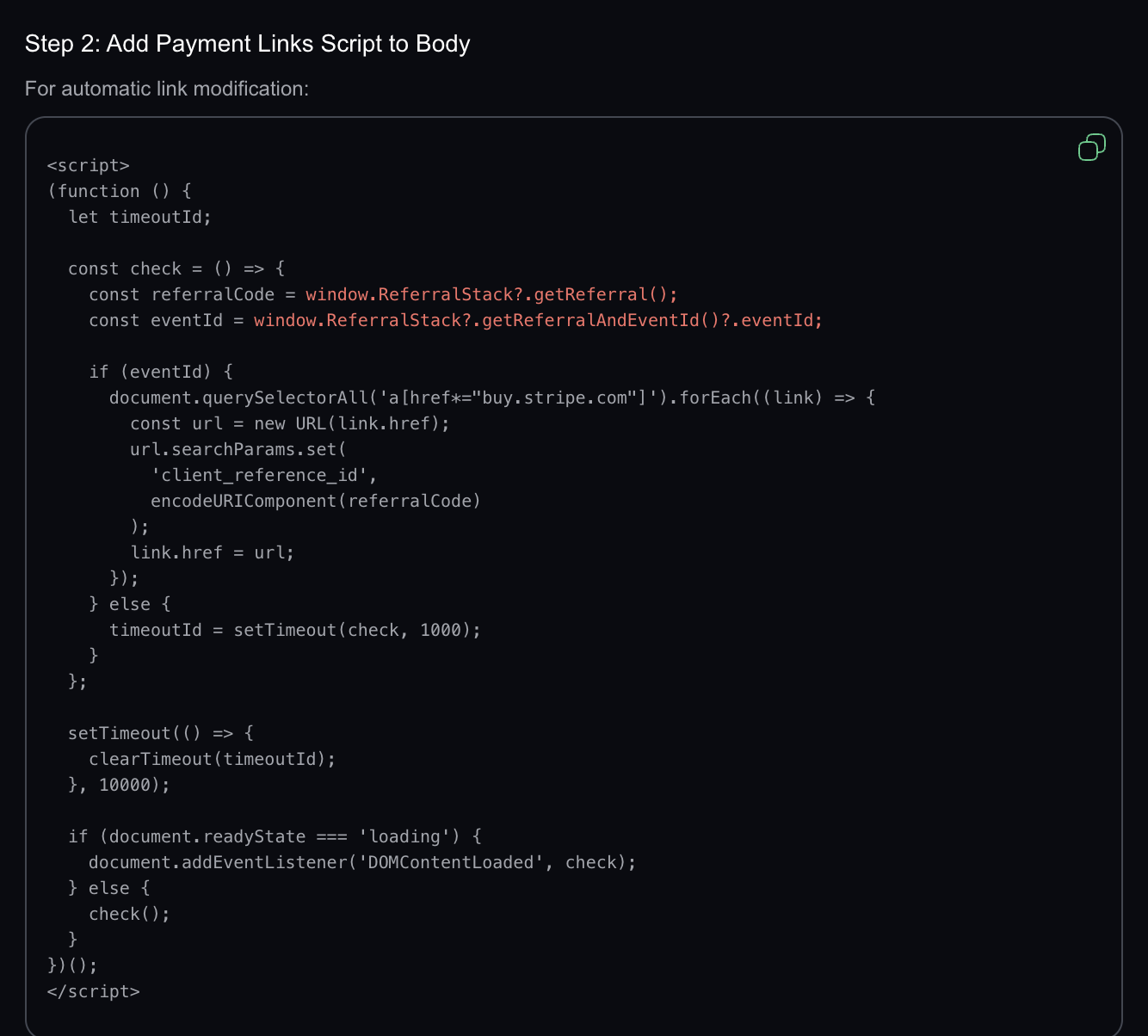
Step 2: Add Payment Links Script to Body
A second script automatically attaches the referral ID to your Stripe payment links by adding it as a query parameter (client_reference_id) in the link’s URL. This allows Stripe to receive the referral information when a customer pays through a hosted link. This script should be inserted just before the closing </body> tag on all pages where Stripe payment links are used.
By following this process, the integration setup for your affiliate portal will be successfully completed. For any questions or assistance during the setup, feel free to reach out to us—we’re here to help every step of the way.
