
A self referral occurs when a user tries to refer themselves to earn commissions, which is not allowed. To keep your referral program fair and secure, ReferralStack helps you detect and manage self referrals.
You can spot users attempting self referrals and block suspicious activity, such as duplicate IP addresses or VPN usage, ensuring your referral program remains fraud-free and trustworthy.
Below are the steps to manage self referrals on the dashboard:
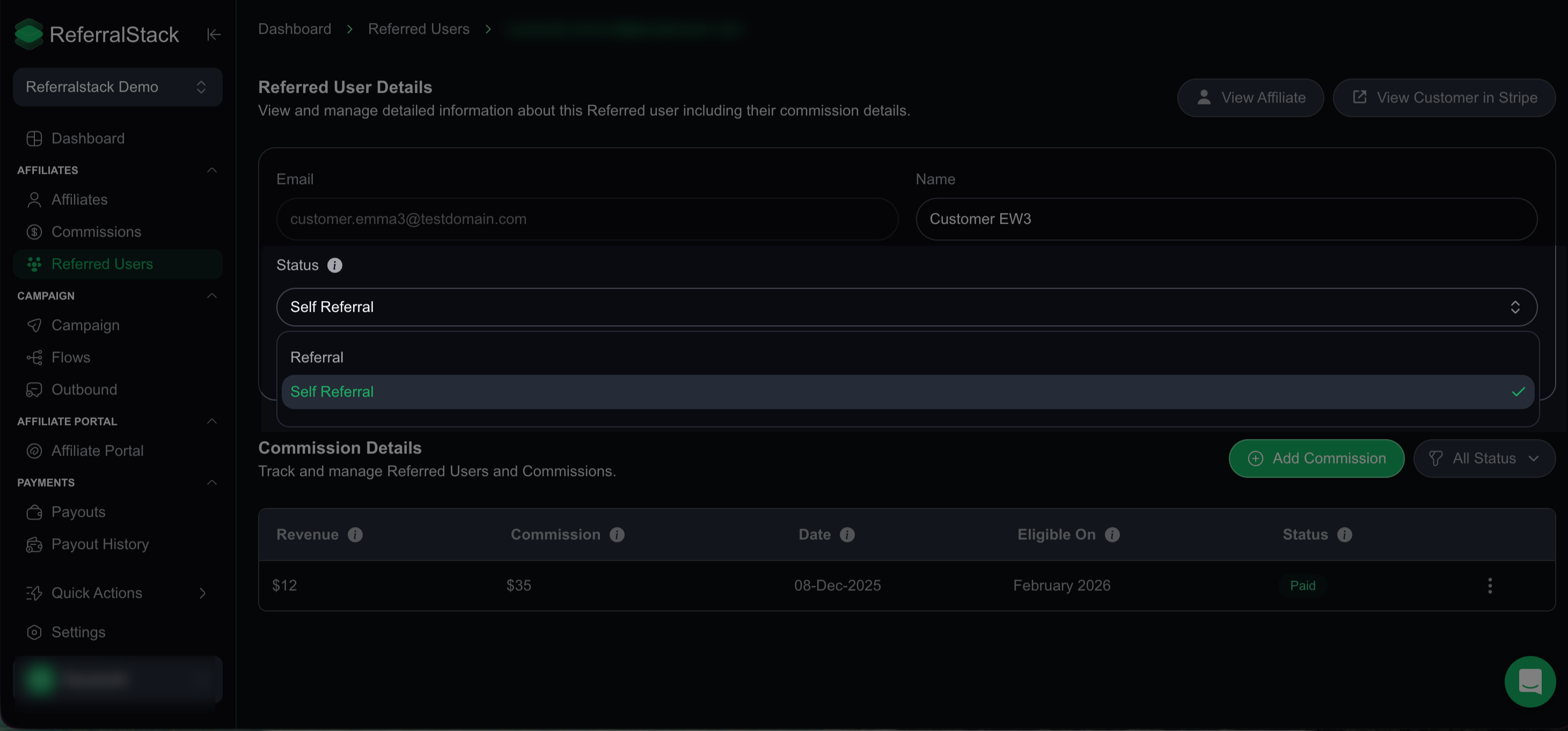
Navigate to the Referred Users section and click Self Referral to view all cases where users tried to refer themselves, so you can monitor and manage these attempts.

Any self referral detected on ReferralStack will be fully excluded from the generated payout list and will not count toward commission. This ensures that only valid referrals are considered for payouts, keeping your program fair and accurate.
If you need to change a user’s status from Self Referral to Referred (or vice versa), simply click on the user, update the status, and save the changes.
You can also use the Advanced Filter to quickly filter referrals by status or payout details for easier monitoring.

Using the Advanced Fraud Detection for Self Referrals on ReferralStack
Advanced Fraud Detection helps keep your platform secure and your referral program abuse-free. Available in the Growth and Pro plans, it detects suspicious IPs, VPN usage, and self referrals. Regularly reviewing these settings ensures maximum protection.
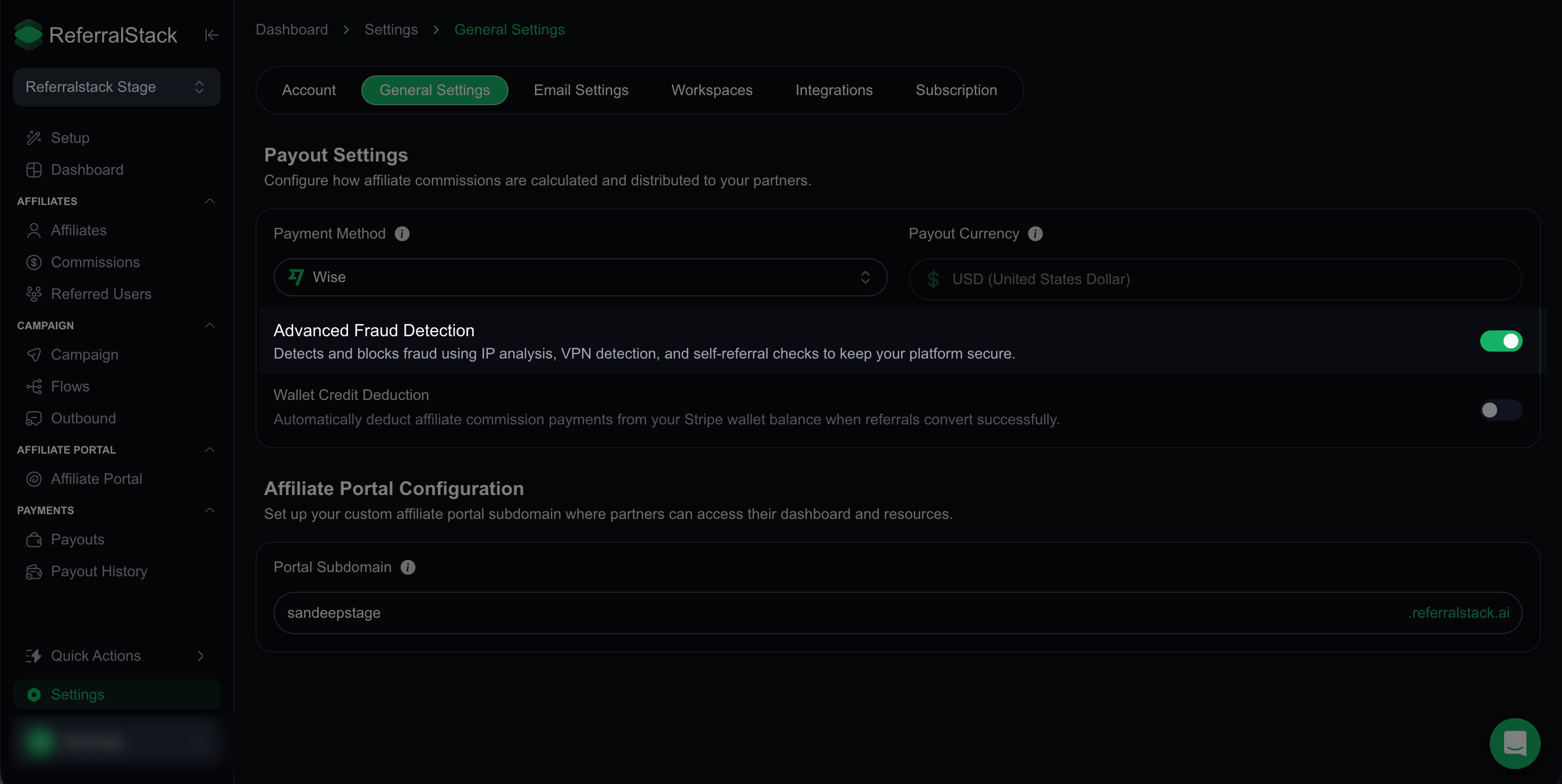
Open Settings and navigate to General Settings. Here, you’ll find the Advanced Fraud Detection option.

You can toggle the Advanced Fraud Detection feature on here and then click Save Changes to enable it. Once enabled, you can leverage features such as IP analysis, VPN detection, and self referral checks to identify and block fraudulent activity on ReferralStack.
This is how you can manage self referrals on your dashboard and use Advanced Fraud Detection on ReferralStack to monitor, prevent, and block fraudulent activity, ensuring your referral program remains fair, secure, and reliable.